Choose a reference
Upload a clear, front-facing portrait you have permission to use. For Try-On, upload a garment photo or pick an outfit; for Restyle, pick a style.
 Live Face Swap
Real-time AI face swap
Swap your face, outfit or style live on your webcam. Try the live face swap in your browser, then use the Windows or Mac app as a virtual camera in OBS, Zoom, Teams and Discord. No GPU required.
Browser · Windows 11 · macOS 13+ (Apple Silicon) · 3.6 credits per second of live output
Strictly Prohibits Adult/NSFW ContentYour AI output appears here in real time.
Use one clear, front-facing portrait with the eyes, mouth and face outline visible. Only use your own face or a portrait you have permission to use.
Preset faces are fictional people and characters made for Live Face Swap.
3.6 credits per second of live AI output
Your camera feed is not recorded or saved, and other users cannot see it.
Everything happens in one window: reference, camera and live AI output.
Upload a clear, front-facing portrait you have permission to use. For Try-On, upload a garment photo or pick an outfit; for Restyle, pick a style.
Allow camera access, keep your face in view and start the live face swap. The first AI frames appear after a few seconds of connecting.
Compare the AI output with your camera view. Change the portrait, outfit, style, lighting or framing while the session keeps running.
Switch effects, portraits, outfits and styles without restarting the live face swap.
Your face is replaced with the face from one reference photo and follows your head turns, blinks, expressions and mouth movement.
Change what you are wearing live: upload a photo of a garment or pick a tuxedo, suit, leather jacket, kimono and more.
Turn the whole camera picture into anime, watercolor, comic book, claymation, pixel art, oil painting, neon or woodblock print.
One webcam frame in, one AI frame out. See what each effect does before you start a session.
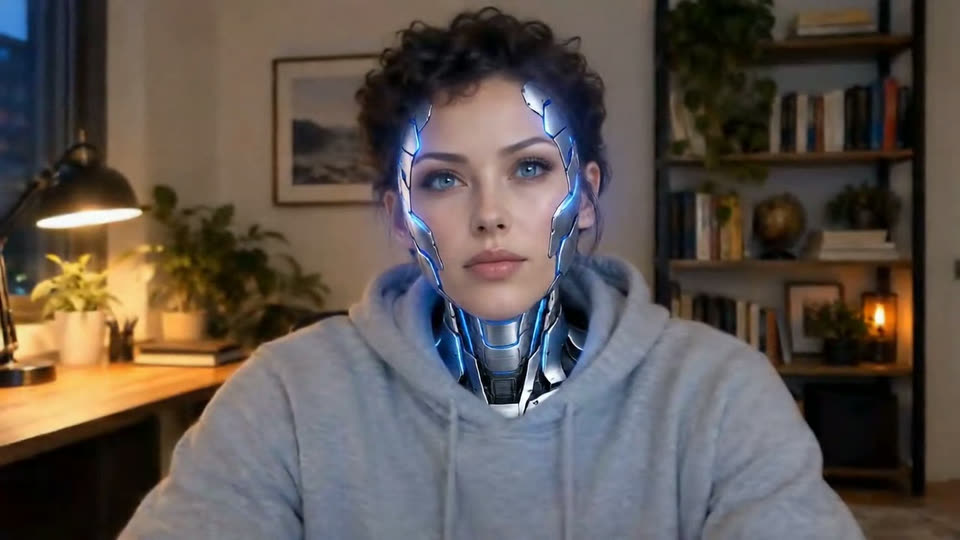
 Camera
 Reference
 Camera
 Reference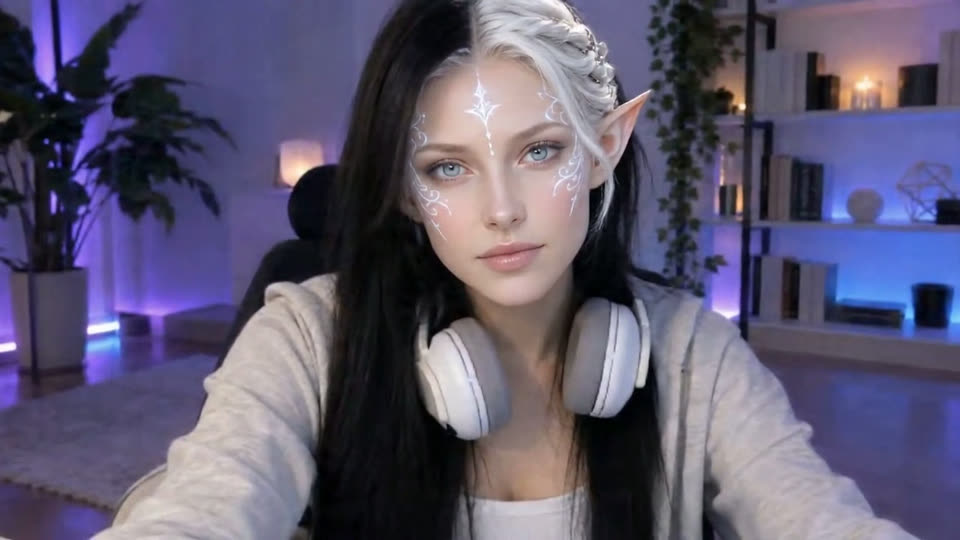
 Camera
 Reference
 Camera
 Reference
Example stills of fictional people, captured from real live sessions with a photo standing in for the webcam. The free styles come from the same on-device filter as the live camera. Results vary with your camera, lighting and motion.
Start in the browser, then take the AI output into the apps you already use.
Add LiveFaceSwap Camera to OBS, Streamlabs or TikTok LIVE Studio and stream to Twitch, YouTube or Kick with a real-time face swap.
Select LiveFaceSwap Camera in Zoom, Microsoft Teams, Google Meet or Discord, the same way you pick any webcam.
Try characters, outfits and art styles on your own camera, record reactions with OBS or explore what real-time AI video can do.
Your camera input becomes AI output in real time, with the heavy work done in the cloud.
The browser or the desktop app reads your webcam and sends the stream over an encrypted connection.
Lucy 2.5, a real-time video model from Decart, applies the face swap, outfit or style. You do not download models or need a GPU.
The edited video returns to your screen in real time. In the desktop app it is also sent to LiveFaceSwap Camera.
Both use the same account, credits and AI model.
Pick a reference, turn on your camera and compare the result in your browser.
Adds LiveFaceSwap Camera, a virtual camera that sends the live AI output to other software.
Not live? Upload a file instead and download the finished face swap. Same account and credits.
A live face swap replaces your face on a camera feed in real time while you move and talk, instead of editing a photo or video file afterwards. Live Face Swap does it with a cloud AI model, so it works on ordinary laptops and Macs.
No. The AI runs in the cloud. You need a camera, a stable internet connection and a current browser, or the desktop app on Windows 11 or an Apple Silicon Mac with macOS 13 or later.
Use the browser to try the effect without installing anything. Use the desktop app when you want the live AI output in OBS, Zoom, Teams, Discord or other apps through LiveFaceSwap Camera.
Every live mode uses 3.6 credits per second, and only while the AI output is running. Opening the camera, choosing a photo and connecting are free. The same balance works in the browser and in the desktop app.
No. During a session your camera stream goes to the AI model provider over an encrypted connection. Live Face Swap does not record, save or share it, and the browser workspace has no recording or download feature.
One sharp, front-facing portrait with the eyes, mouth and face outline visible and even lighting. Avoid group photos, sunglasses, heavy filters or hands over the face.
Your own face or a portrait of someone who has given you permission. Do not impersonate real people, deceive anyone or create sexual content, and tell viewers when they are watching an AI-altered video.
Credits are sold in one-time packs paid with cryptocurrency. There is no subscription or automatic renewal, and purchased credits never expire.
Use a live AI face swap in Zoom, Microsoft Teams, Google Meet or Discord: install the desktop app, pick LiveFaceSwap Camera as your camera and test before the call.
Add a real-time AI face swap to OBS Studio: select LiveFaceSwap Camera as a Video Capture Device, then stream to Twitch, YouTube or TikTok. Works on Windows and Mac without a GPU.
Local face swap tools such as Deep-Live-Cam run on your GPU; cloud tools do not. Compare hardware needs, setup, privacy and cost, plus how to use a face swap responsibly.
Want Deep-Live-Cam without Python, model downloads or an RTX card? Compare it with Live Face Swap, a cloud alternative with a browser preview and Windows and Mac apps.
Live3D AI Face Swap edits uploaded photos, GIFs and videos. Live Face Swap swaps your face live on a webcam for OBS, Zoom and streams. See which one you need.
Swap your face on your webcam in real time with AI. Upload one portrait, allow the camera and see the result live in your browser. No GPU or download needed.
Start in your browser, or download the desktop app to use the AI output in other apps.